Offline Export of Clinic Files and Patient Records
Published on September 6, 2026
Patient records are one of the most valuable assets of any veterinary clinic. Consultation histories, laboratory results, images, documents, and other information recorded in each patient’s file form an important part of the medical record and need to remain accessible and properly stored.
With the Clinic Subscription, you can export your clinic’s files and records for offline access. By going to the Clinic section and selecting the export option, you can generate a complete HTML file containing your clinic’s available records and files.
The exported file includes patient histories, recorded medical information, images, and documents stored in patient records. This allows you to keep an independent copy of your clinic’s information without relying entirely on an online connection to access your records.
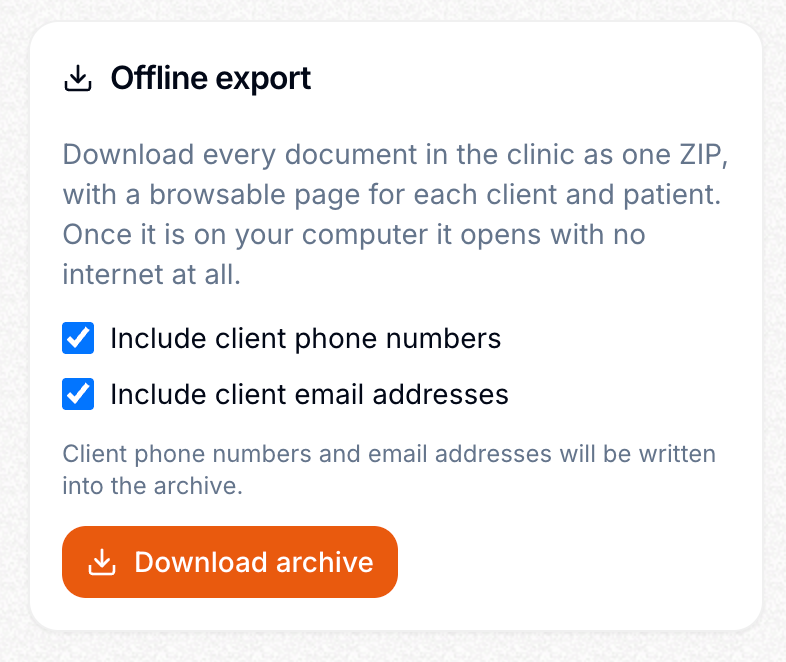
Offline access can be particularly useful in situations where an internet connection is unavailable or when you need to archive your clinic’s information. The generated HTML file can be stored on a computer or another storage device and opened whenever you need to review the exported records.
This feature can also simplify clinic data archiving and backup management. Instead of manually saving individual patient records, images, and documents, you can create an organized, consolidated export of your clinic’s information in a single HTML file.
In short, offline export gives veterinary clinics greater control over their records and provides an additional way to preserve and access important patient information, including medical histories, images, and documents, outside the online environment.